

Plan the API keys for my integration.
Before you start
- You need the Owner or Admin role to see, create, or revoke API keys.
- Choose a secure place to store the key. You can see the full key only one time.
- The key acts for the workspace, not for you. Its scopes limit what it can read and change.
Create an API key
1
Open API keys
In the rail, choose Settings, then API keys. Choose Create API key.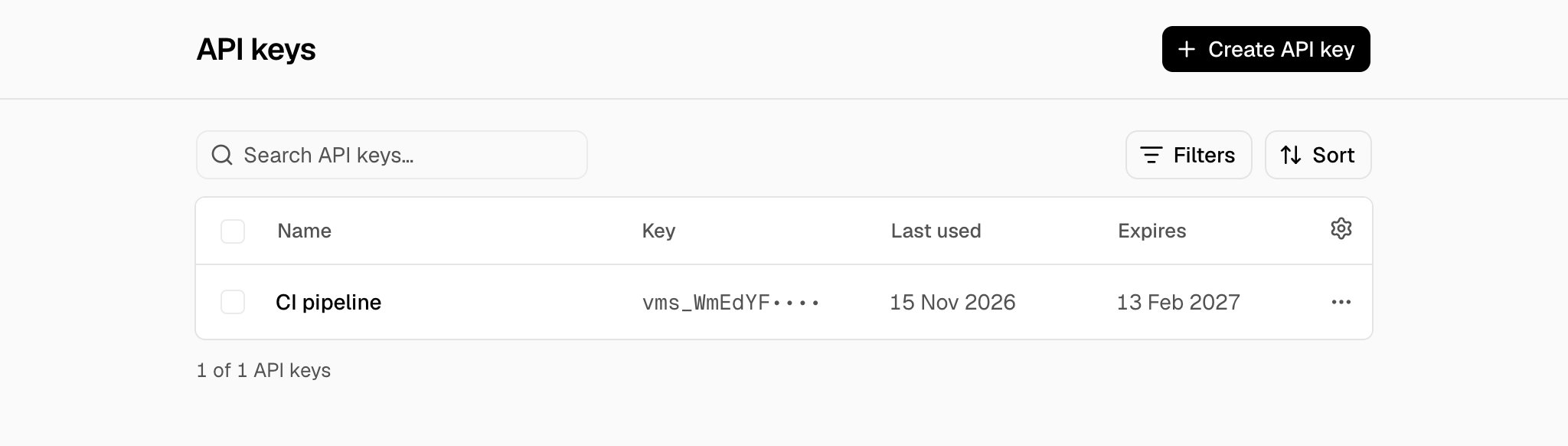
2
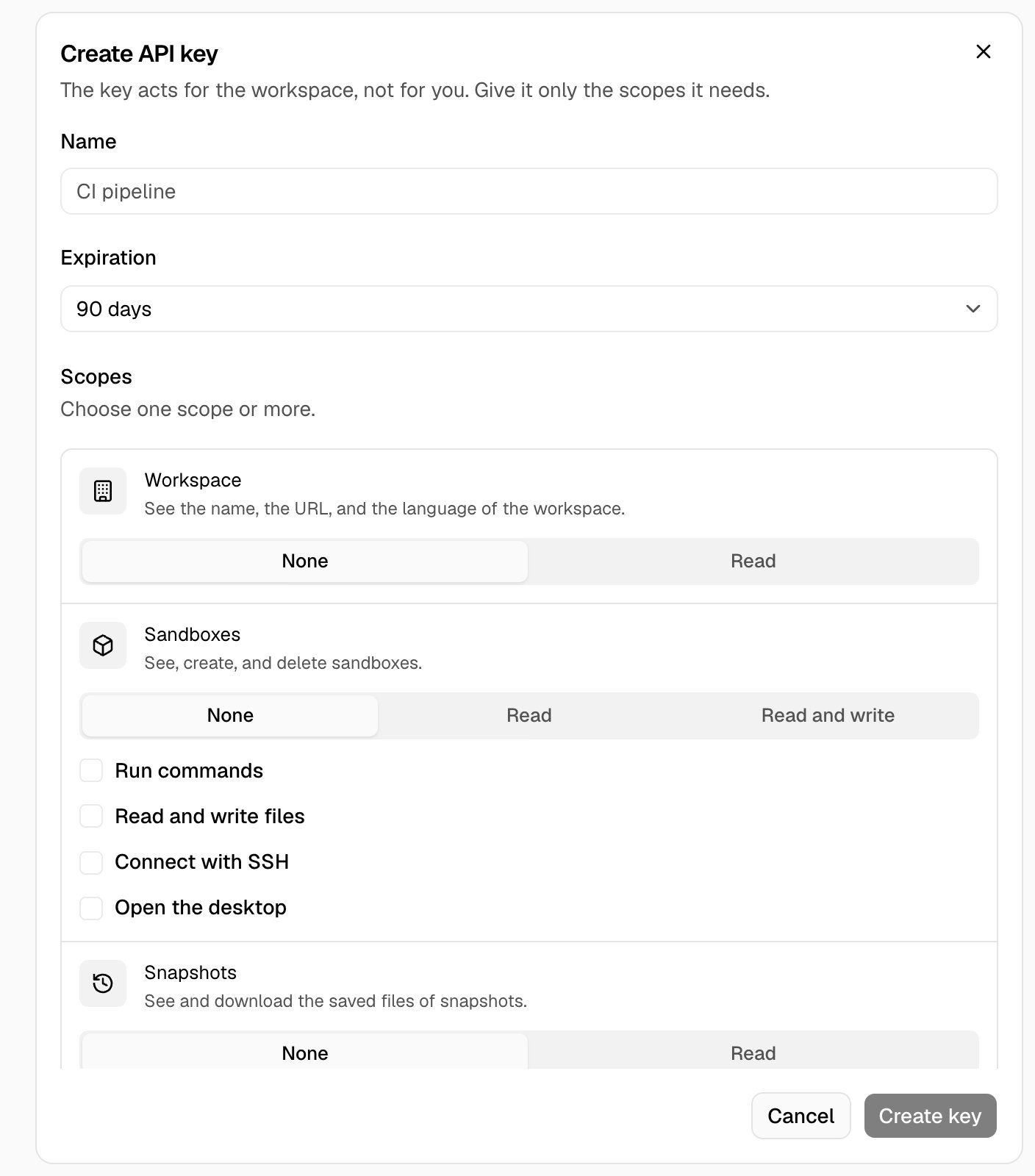
Choose the name, the expiration, and the scopes
- Type a Name.
- Choose an Expiration: 30 days, 90 days, 1 year, or No expiration.
- In Scopes, choose the access for each area. For Sandboxes, you can also choose Run commands, Read and write files, Connect with SSH, and Open the desktop.
- Choose Create key.
3
Copy the key
In Copy your API key now, choose Copy. Store the key in a secret manager, then choose I copied the key.
Use the key
Send the key in theAuthorization header of each request. Replace <your-api-key> with the key.
x-api-key header. See your first API request.
Revoke an API key
- Open the menu (…) of the key and choose Revoke key.
- In Revoke the API key?, choose Revoke key.
Keys of the CLI
vms login makes a key with the name vms CLI on <computer name>. It is in the list with the other keys. Revoke it to sign out that computer. See CLI reference.
Troubleshooting
Only owners and admins can see API keys
Only owners and admins can see API keys
You have the Member role. Ask an owner or an admin to create the key. See Members.
The API key is not correct, or somebody revoked it.
The API key is not correct, or somebody revoked it.
The API returns status 401. Send the full key, with the
vms_ prefix. If somebody revoked the key, create a new key.The API key expired. Create a new API key in the settings.
The API key expired. Create a new API key in the settings.
The API returns status 401. Create a new key, and give it a longer expiration if the program needs it.
This API key does not have the workspace:read scope.
This API key does not have the workspace:read scope.
The API returns status 403. A key keeps its scopes. Create a new key with the scope, then revoke the old key.
This API key sent too many requests. Wait one minute, then try again.
This API key sent too many requests. Wait one minute, then try again.
The API returns status 429. Each key can send 1,200 requests in one minute. Each edge server counts the command and file requests of a key apart from the other edge servers.